Fullscreen
The Fullscreen view is a maximum-impact timer display designed for stage screens, projectors, and large venue displays. The countdown fills the entire viewport for bold, unmistakable readability.
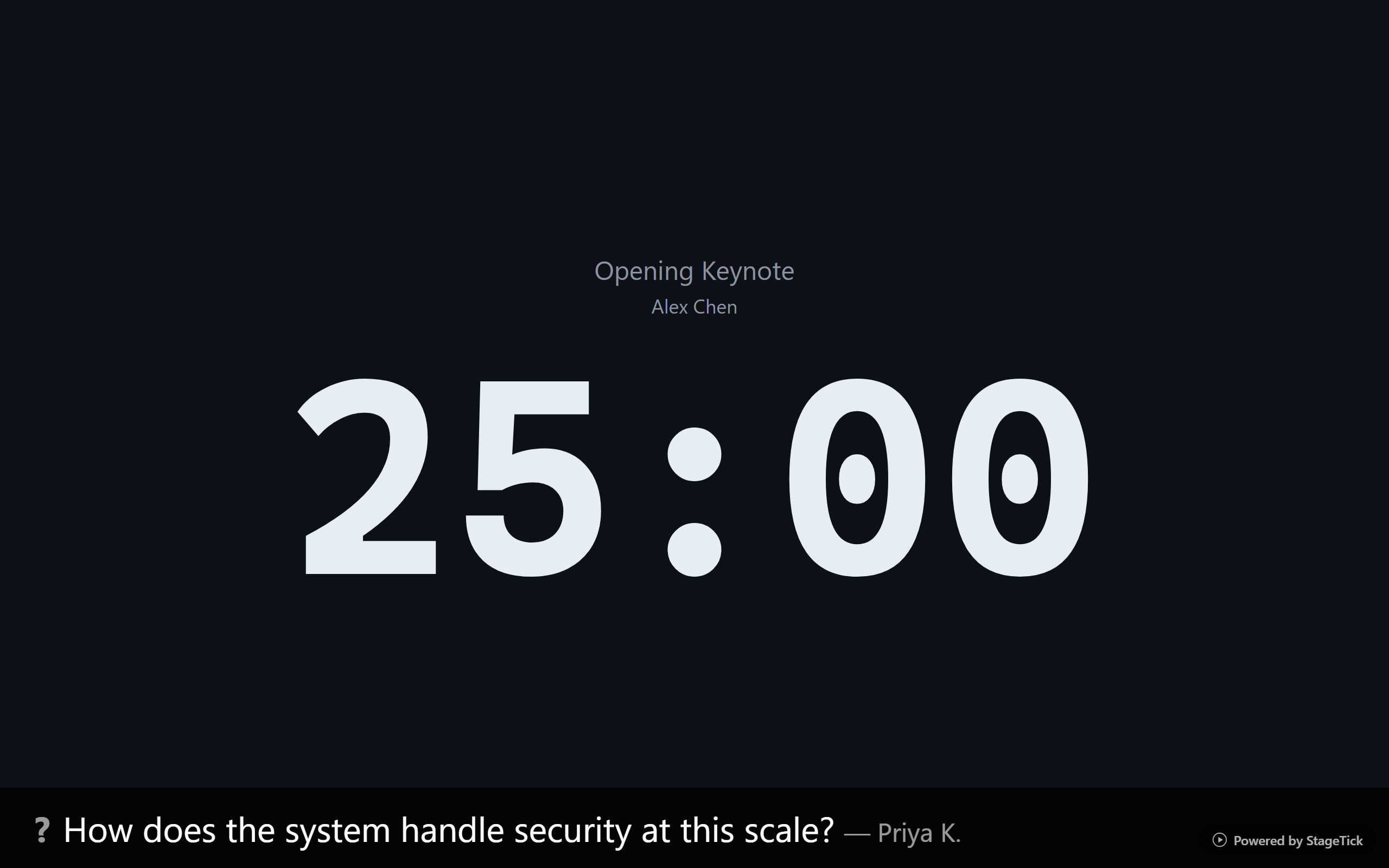
Centered Countdown
The countdown text is centered on screen and scales dynamically with the viewport. Whether displayed on a laptop monitor or a 4K projector, the time is always large and clear.
Title and Speaker
The timer title and speaker name are shown above the countdown so the audience or speaker always knows which segment is running.
Phase Background Colors
The entire background changes color as the timer progresses through its phases, providing an unmissable visual cue:
- Normal — dark background, standard display
- Warning — yellow tint, time is running low
- Danger — red tint, very little time remaining
- Overtime — strong red, the segment has exceeded its duration
Progress Bar
A progress bar runs along the bottom of the screen, providing a visual indication of how much time has elapsed and how much remains. It fills smoothly as the timer counts down. Hover over the progress bar to see a tooltip showing the exact time at that position.
Message Overlay
When a message is activated from the controller or moderator, it appears as an overlay on the Fullscreen view. Only one message is visible at a time — showing a new message replaces the current one. The overlay is positioned so the countdown remains readable.
Question Overlay
Live questions approved by the moderator are displayed on the Fullscreen view so the speaker and audience can see the current question being discussed.
Flash and Blackout
The flash effect triggers a 3-second visual pulse on the Fullscreen display — useful for cueing speakers. Blackout mode blanks the entire screen instantly for transitions or breaks.
Best For
- Main stage display visible to the entire audience
- Speaker confidence monitor at the front of the stage
- Large venue screens and projector outputs
- Backstage countdown displays