Operator
The Operator view is a dedicated timer control interface designed for touch-friendly operation. It gives a single operator everything they need to run the show from a tablet or desktop.
Layout
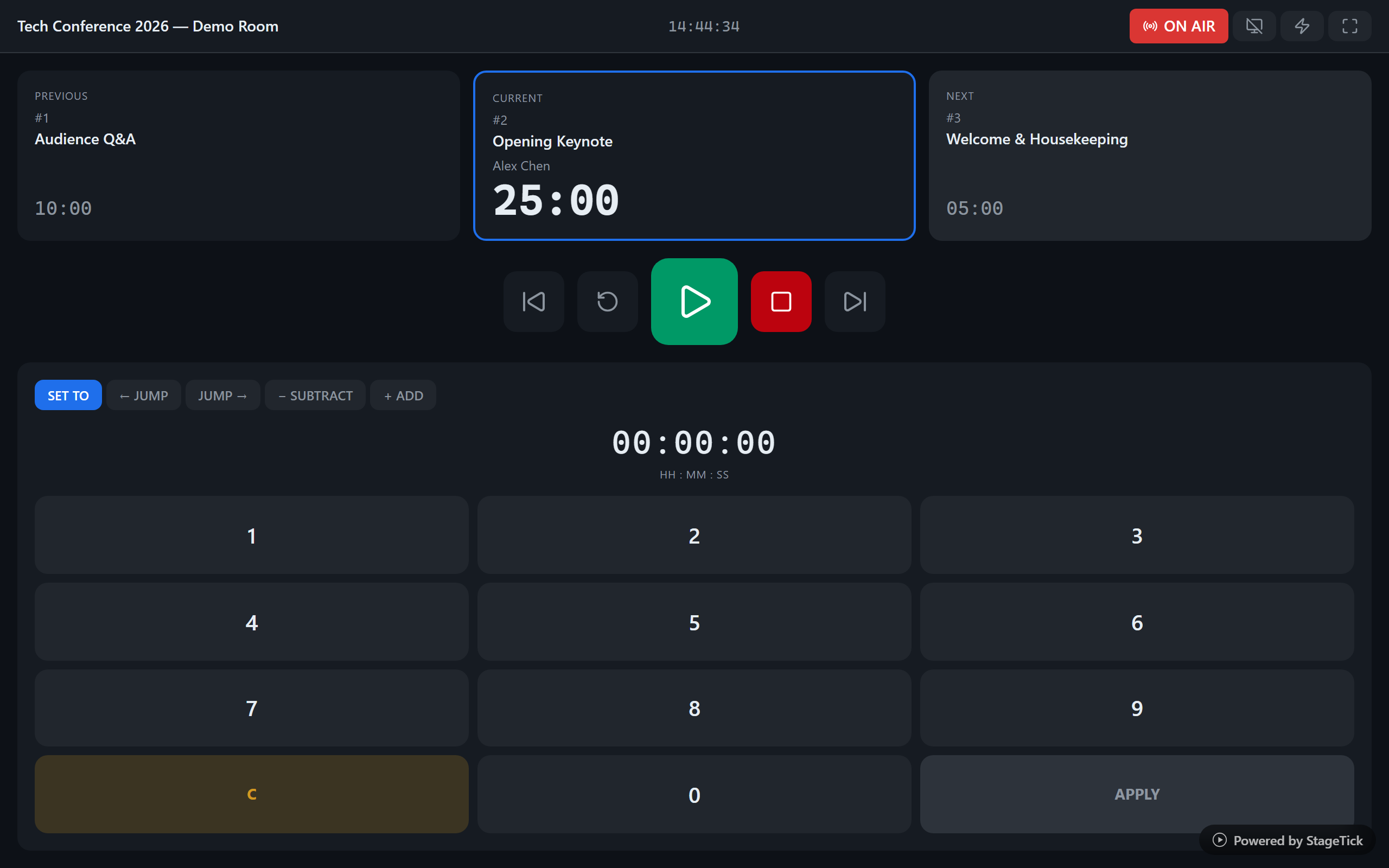
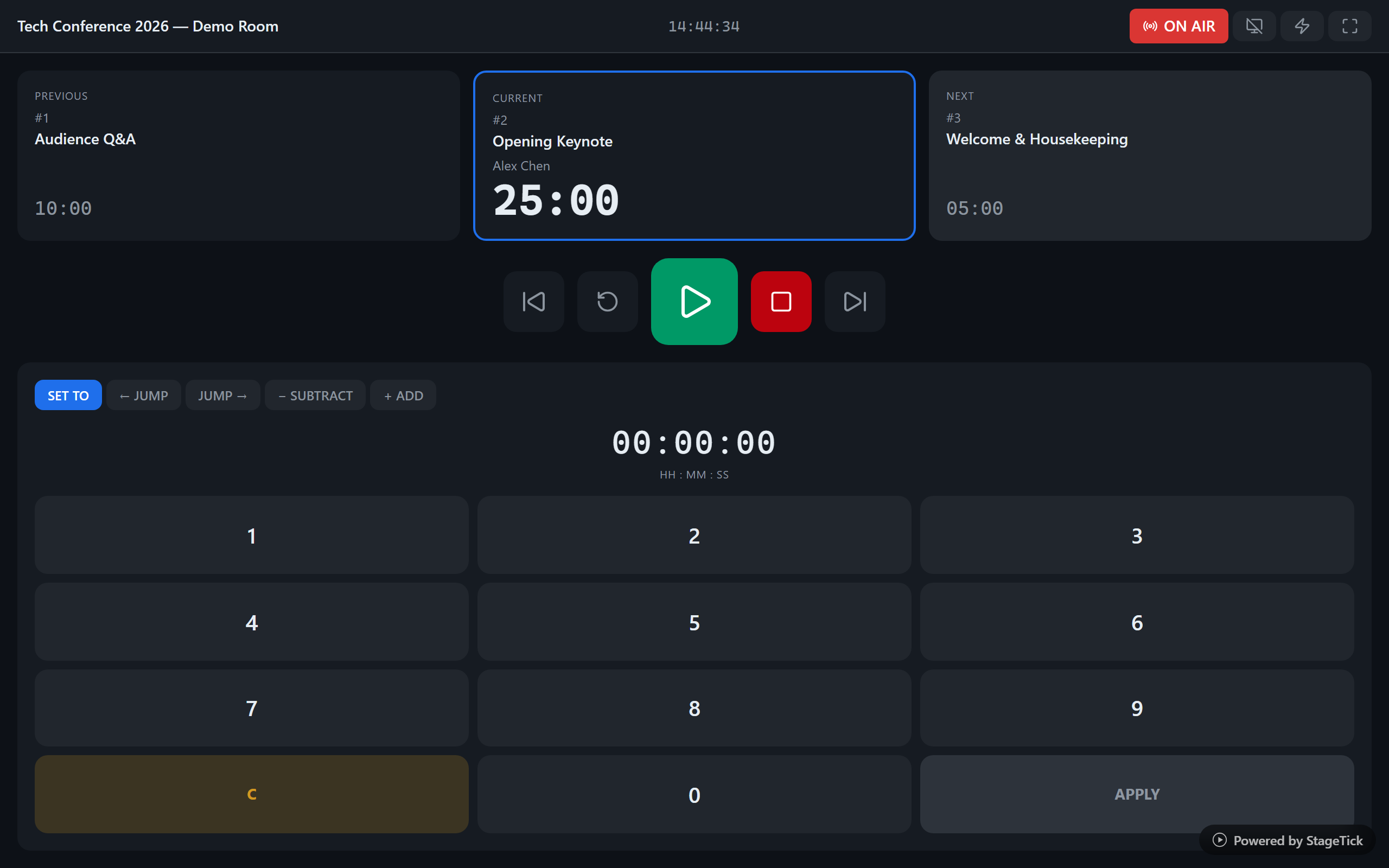
The Operator view is organized into four areas: a header bar, timer cards, transport controls, and a numpad. Every element is sized for reliable touch interaction.
Header Bar
The header bar at the top provides:
- Room title — identifies the current room
- Wall clock — real-time clock for the operator
- On-air toggle — switch the room between on-air and standby
- Blackout — instantly blank all output views
- Flash — send a 3-second visual pulse to all outputs
- Mute — silence all audio cues globally (keyboard shortcut: M)
- Fullscreen — enter browser fullscreen mode
Timer Cards
Three timer cards are displayed side by side: Previous, Current, and Next. Each card shows the timer title, speaker, and duration. Use the Play button on any card to start that timer.
The current timer card includes a progress bar showing elapsed time at a glance. Hover over the progress bar to see a tooltip with the exact time at that position.
Transport Controls
Large transport buttons sit below the timer cards, providing the core playback controls:
- Play / Pause — start or pause the active timer
- Stop — stop the timer and reset to the beginning
- Reset — reset elapsed time without changing the active timer
- Skip Forward — advance to the next timer
- Skip Back — go back to the previous timer
Numpad
The numpad allows precise time adjustments during a live show. It supports five modes:
- SET TO — set the timer's duration to the entered value and reset elapsed time to zero
- ← JUMP — jump the timer backward by a specified amount
- JUMP → — jump the timer forward by a specified amount
- − SUBTRACT — reduce the timer duration
- + ADD — increase the timer duration
Best For
- Tablet mounted on a tech table for hands-on timer control
- Dedicated operator station at front-of-house or backstage
- Any scenario where one person is responsible for running the timer