Presentation Timer That Speakers Actually See
Meetings that run over waste everyone's time. StageTick gives every speaker a visible countdown synced across the room -- from the podium to the organizer's phone.
The Challenge with Presentation Timing
Whether it's a board meeting or a pitch night, every minute matters. But speakers rarely self-regulate time well.
Speakers lose track of time
Once on stage, speakers get absorbed in their content. Without a visible timer, a 15-minute talk easily becomes 25.
Awkward interruptions
The moderator has to awkwardly interrupt a speaker who's gone over. A visible countdown lets speakers self-manage gracefully.
Multi-speaker events
Pitch nights, panel discussions, and all-hands meetings with multiple presenters need precise per-speaker timing.
Phone timers aren't visible
Setting a phone timer helps the organizer but not the speaker. The countdown needs to be visible from the stage.
How StageTick Helps
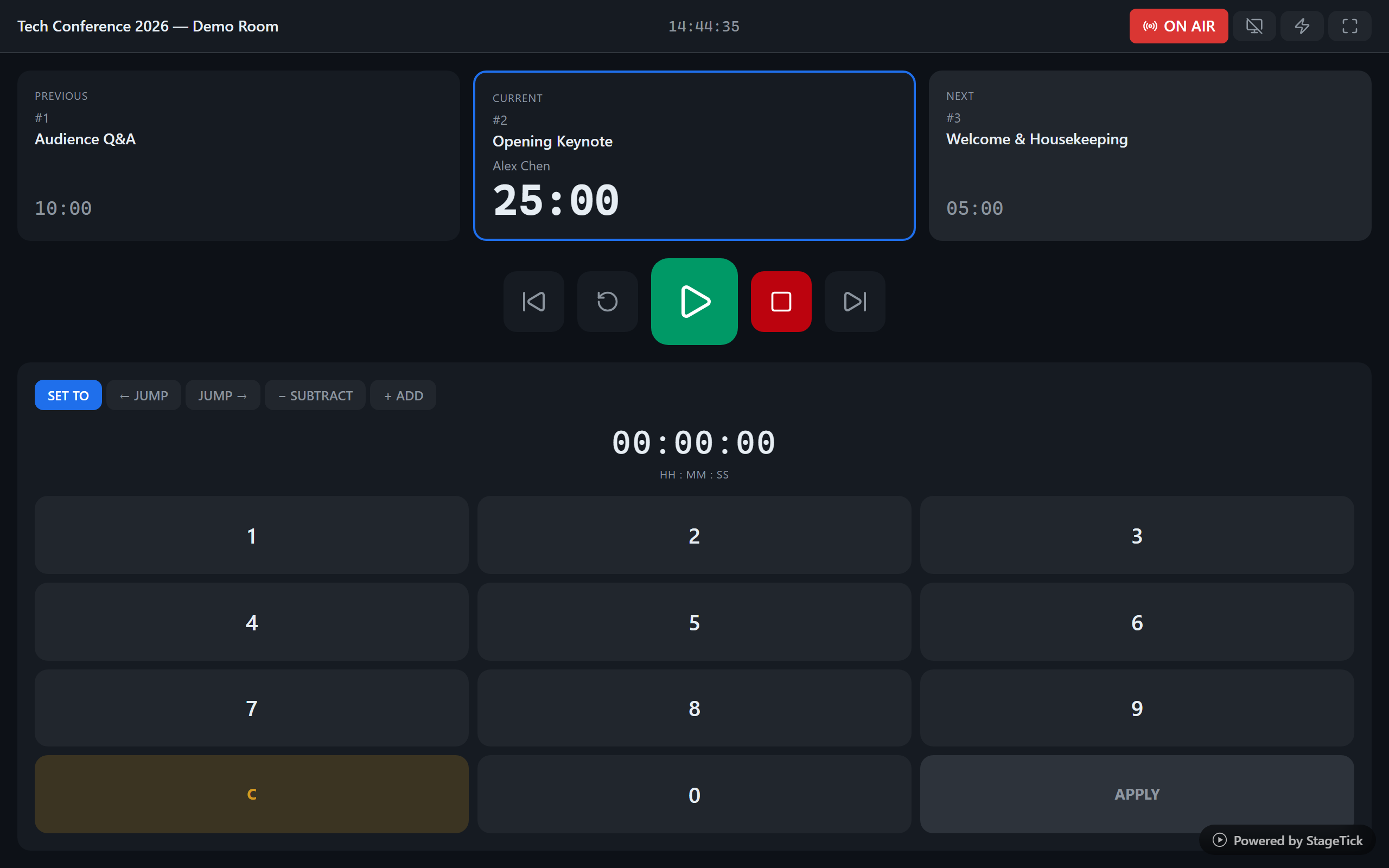
A visible, synced timer that the speaker and organizer both see -- controlled from your phone.
Fullscreen countdown on any display
Open the fullscreen view on a tablet, monitor, or projector. Speakers see a bold, readable countdown from across the room. Warning colors change as time runs low.
Control from your phone
The meeting organizer controls the timer from the mobile operator view. Start the next speaker's timer, send a "wrap up" cue, or pause -- all without leaving your seat.
Per-speaker timers
Create a separate timer for each presenter. Label them by speaker name and topic. Switch between them manually or let auto-advance handle it.
Audio cues speakers can hear
Choose from 5 sound presets per timer. An audible cue plays at wrap-up, danger, and overtime so speakers stay aware of time even when focused on their slides.
Cue messages for gentle nudges
Send "2 minutes remaining" or "Please wrap up" as a cue message. It appears on the speaker's screen without interrupting the audience's experience.
How It Works
Create a room
Sign up and create a room for your meeting or event. Add a timer for each speaker or agenda item.
Set up speaker timers
Give each speaker their allotted time. Set warning thresholds so the countdown changes color when time is running low.
Share the link
Open the fullscreen view on a visible display. Control the timer from your phone. Speakers see the countdown, you control the pace.
Ready to keep your presentations on time?
Set up in 30 seconds. Works on any device with a browser.